7 Ways the Skoolr App Transforms Special Education Classrooms
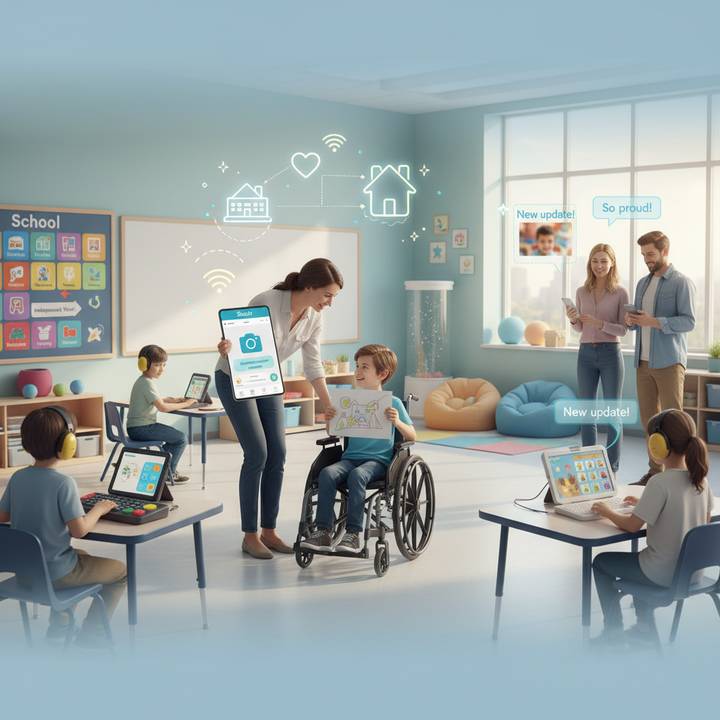
7 Ways the Skoolr App Transforms Special Education Classrooms
Teaching in a special education environment comes with unique challenges and extraordinary rewards. Every day, special ed teachers work to create an inclusive, supportive space where students with diverse learning needs can thrive. Yet they often face obstacles that traditional classroom tools weren't designed to solve: How do you keep parents informed when every student's day looks different? How do you document progress toward individualized goals while managing a full classroom? How do you build predictability and confidence for students who need extra structure?
The Skoolr app offers a powerful answer. Designed as an intuitive classroom communication and engagement platform, Skoolr bridges the critical gaps between teachers, students, and families in special education settings. By combining real-time updates, visual communication tools, and secure messaging in one simple interface, Skoolr helps special ed teachers do what they do best—support every student's unique journey—while building the home-school partnership that makes lasting progress possible.
1. Fosters a Seamless Home-School Partnership
Parents of children with special needs often describe feeling disconnected from their child's school day. Unlike students who can verbally share what happened at school, many children with disabilities—particularly those who are non-verbal, have communication challenges, or experience anxiety—struggle to convey their experiences. This communication gap leaves parents wondering: Did my child participate today? Were they frustrated or happy? Did they make progress on their goals?
Skoolr's parent communication features transform this uncertainty into connection. Teachers can send private messages directly to individual parents, share photos and videos of classroom moments, and post updates that give families a genuine window into their child's day. Unlike email chains that get buried or generic newsletters that lack personalization, Skoolr creates an ongoing dialogue that's both immediate and meaningful.
The app's post reaction feature also allows parents to quickly acknowledge updates with emojis or brief comments, maintaining engagement even during their busiest days. This consistent, positive communication builds trust and ensures that when challenging conversations need to happen, they occur within an already-established supportive relationship.
2. Establishes Predictability with Visual Schedules and Routines
Students with autism spectrum disorder, anxiety disorders, ADHD, and many other special needs benefit enormously from predictability. When students know what's coming next, they experience less anxiety, fewer behavioral challenges, and greater engagement. Visual schedules—using images, icons, and simple text to outline the day—are a cornerstone of effective special education practice.
Skoolr makes creating and sharing visual schedules effortless. Each morning, teachers can post the day's schedule using the app's photo and text features. These posts become a reference point that students can check throughout the day, either on a classroom iPad or through printed versions displayed in the room.
The routine of checking Skoolr for the daily schedule itself becomes a comforting ritual. For students with special needs, this predictability extends beyond individual activities to the very structure of how information is delivered, creating a sense of safety and control that supports learning readiness.
3. Simplifies Differentiated Instruction
Differentiation—tailoring instruction to meet individual student needs—is essential in special education but challenging to manage. In a single classroom, one student might need step-by-step visual instructions, another benefits from audio support, while a third requires modified assignments aligned with specific IEP accommodations.
While Skoolr isn't specifically designed as an assignment differentiation platform, its flexible communication features support personalized instruction in practical ways. Teachers can share different resources, instructions, or support materials through targeted posts or private messages to individual students or small groups.
For instance, when introducing a new math concept, a teacher might post the general lesson overview for the whole class, but also send a private message with a supplementary video tutorial to students who need extra support. The app's multimedia capabilities allow teachers to deliver information in formats that match each student's learning style—photos for visual learners, audio recordings for auditory processors, or video demonstrations for those who need to see concepts modeled.
This approach respects the dignity of diverse learners while ensuring each student receives appropriate support. Parents also gain insight into how instruction is being modified for their child, fostering transparency around IEP implementation.
4. Streamlines IEP Goal Tracking and Digital Portfolios
Documentation is the lifeblood of special education. Teachers must continuously collect evidence of student progress toward Individualized Education Program (IEP) goals, capturing data that demonstrates growth across academic, behavioral, social, and functional domains. Traditional methods—paper checklists, handwritten anecdotal notes, folders of work samples—are time-consuming and difficult to organize, especially during the hectic school day.
Skoolr transforms IEP documentation by serving as a digital portfolio platform. When a student demonstrates progress on a goal, teachers can immediately capture that moment with a photo, video, or note, timestamp it, and store it within the student's profile in the app. This creates a chronological, visual record of achievement that's far more powerful than numerical data alone.
Consider a student with an IEP goal focused on social skills: "Will initiate positive interactions with peers in structured settings at least three times per week." Each time the teacher observes this behavior, she can take a quick photo of the students playing together and add a brief annotation: "Initiated sharing blocks with Marcus without prompting—great progress!" Over weeks and months, these observations accumulate into compelling evidence for IEP meetings.
This documentation approach benefits everyone. Teachers save time by capturing evidence in the moment rather than recreating it later. Parents see concrete, meaningful proof of progress. And most importantly, students' achievements are celebrated and preserved in ways that honor their hard work.
5. Builds Student Confidence and Self-Advocacy
A crucial but often overlooked goal of special education is helping students develop self-awareness and self-advocacy skills. Students need opportunities to express themselves, showcase their strengths, and take ownership of their learning journey—especially when their disabilities might make them feel less capable than their peers.
Skoolr's student-facing features create space for this growth. When students can access the class feed on a tablet or computer, they see their own work celebrated alongside their classmates'. They can view assignments, participate in class discussions in ways that accommodate their communication needs, and receive positive feedback that builds self-esteem.
For students with motor skill challenges who struggle with handwriting, Skoolr offers alternative ways to demonstrate knowledge. A student can record a verbal explanation of their thinking, take photos of a project they've built, or create a simple video presentation. These multimedia options level the playing field, allowing students to showcase understanding without being limited by their disability.
This flexibility teaches students an invaluable lesson: there are many ways to be successful, and finding the approach that works for you is not only acceptable but admirable. These early experiences with self-advocacy and accommodation lay the groundwork for students to request the support they need throughout their education and beyond.
6. Ensures Private and Secure Communication
Privacy and confidentiality are paramount in special education. Teachers regularly discuss sensitive information—behavioral challenges, medical needs, therapy schedules, family circumstances—that must be protected. Yet many schools still rely on insecure communication methods: group text messages that can be screenshot and shared, social media groups with lax privacy settings, or email threads that might be forwarded without consent.
Skoolr is built with these concerns in mind. The platform provides a secure, dedicated space for school communication that keeps conversations contained and protected. When a teacher needs to discuss a sensitive topic with a parent—perhaps a behavioral incident or a concern about regression—they can do so through Skoolr's private messaging feature, ensuring that information stays between the appropriate parties.
The app also creates clear boundaries between school communication and personal life. Parents don't need to share their personal phone numbers or social media accounts. Teachers can maintain professional separation while still being accessible. This structure protects everyone involved and establishes appropriate digital boundaries that model healthy technology use.
For schools and districts, using a dedicated educational platform like Skoolr also helps ensure compliance with data protection regulations such as FERPA (Family Educational Rights and Privacy Act). Student information is stored securely, access is controlled, and the platform is designed specifically for educational purposes rather than being adapted from consumer social media.
7. Getting Started: Skoolr in Your Special Ed Class
Ready to bring Skoolr into your special education classroom? Here's a simple three-step approach to get started:
1Set Up Your Class with Clear Expectations
Create your class in the Skoolr app and invite parents with a welcoming introduction message. Explain specifically how you'll be using Skoolr: "I'll share daily visual schedules each morning, post photos of classroom activities, and send individual updates about your child's progress. Feel free to message me with questions—I'll respond within 24 hours on school days." This clarity helps parents understand what to expect and encourages engagement from the start.
2Establish a Daily Routine
Consistency is key in special education. Begin each day by posting your visual schedule to Skoolr. Make this your morning routine, just like taking attendance. This regular post becomes an anchor point for students and parents, building familiarity with the app and creating the predictability that supports learning. Start simple—even a photo of your whiteboard schedule counts—and expand as you get comfortable.
3Share One Positive Moment Per Student Each Week
Set a goal to share at least one positive photo, video, or message about each student every week. This doesn't need to be a major achievement—small moments matter. A photo of a student engaged in an activity, a quick note about a kind interaction, or a video of them trying something new all communicate value and progress. These positive touchpoints build goodwill with families and create a foundation of trust that makes difficult conversations easier when necessary.
Remember, you don't need to use every feature immediately. Start with the basics—visual schedules and positive parent communication—and gradually incorporate more advanced uses like digital portfolios and student-facing content as you become comfortable with the platform. The goal is to reduce your workload while improving communication, not to add another overwhelming task to your day.
Frequently Asked Questions
Yes. Skoolr's intuitive interface is designed to be simple and user-friendly, which benefits all students including those with cognitive or learning disabilities. The app works seamlessly on iPads, which come with robust built-in accessibility features such as VoiceOver (screen reading), AssistiveTouch (for students with motor challenges), and customizable display settings for students with visual impairments. Teachers can also adapt how they use Skoolr—for instance, using larger images, adding audio descriptions, or limiting the number of posts visible at once—to meet individual accessibility needs.
Absolutely. While Skoolr isn't a specialized IEP data tracking system, it serves as an excellent digital portfolio tool for collecting qualitative evidence of student progress. Teachers can capture photos, videos, and written observations of students demonstrating skills related to their IEP goals. These timestamped pieces of evidence can be organized by student and shared with parents regularly, providing a rich, ongoing record of growth. During IEP meetings, this visual documentation offers powerful, concrete examples that supplement traditional data collection methods and help teams make informed decisions about goal progress and modifications.
Skoolr is designed specifically for educational use with privacy and security as core priorities. The platform uses secure servers to protect student information, and access is controlled—only invited parents and approved teachers can view class content. Unlike public social media platforms, Skoolr creates a private, contained environment where sensitive information about students with special needs can be shared safely between school and home. Teachers have control over what information is shared and with whom, ensuring that confidential details about disabilities, accommodations, or behavioral challenges remain private.
While apps like SeeSaw and ClassDojo are popular in general education and can be adapted for special ed use, Skoolr offers unique advantages in its simplicity and focus on building a collaborative school-home-student triangle. Skoolr's streamlined interface reduces cognitive load for both teachers and students, making it especially suitable for classrooms where simplicity and clarity are essential. The app's strength lies in fostering genuine communication and connection rather than complex feature sets, which can be overwhelming in special education contexts. For teachers prioritizing relationship-building, real-time communication, and accessible documentation over gamification or elaborate digital portfolios, Skoolr provides an ideal balance of functionality and ease of use.
This is an important equity consideration in special education. While Skoolr works best when parents can access it regularly, teachers can adapt their approach for families with limited technology access. Options include printing out important posts and visual schedules to send home, using Skoolr during parent-teacher conferences to show accumulated documentation, or arranging for parents to view updates when they pick up their child at school. Some schools also provide internet-accessible devices in family resource centers. The key is to use Skoolr as one communication channel while maintaining multiple pathways for parent engagement, ensuring no family is excluded from their child's educational journey.
The Skoolr app represents more than just another piece of classroom technology—it's a bridge. A bridge between school and home, between teachers and families, between students and their potential. In special education, where every child's path is unique and partnership is essential, Skoolr provides the tools to build stronger connections, celebrate every milestone, and create the supportive community that allows all students to thrive. Whether you're documenting progress toward IEP goals, establishing daily routines, or simply sharing the joy of a breakthrough moment, Skoolr helps you do what matters most: see every student, honor their journey, and bring their families along for the ride.